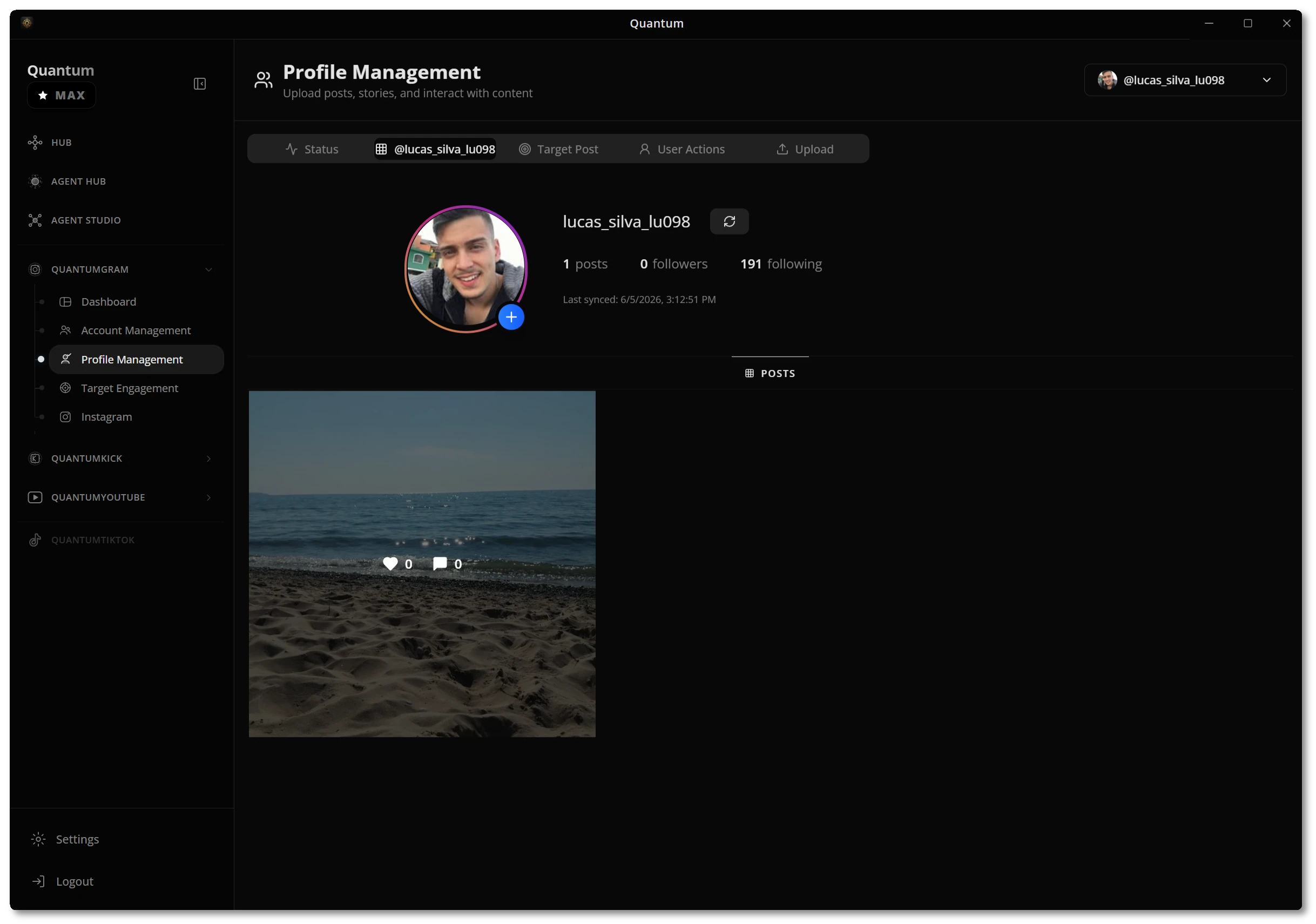
Set up QuantumHub in minutes
A visual walkthrough of the whole desktop app — from your first login to running safe, AI-assisted campaigns across every platform.
Three steps to your first run
Launch, connect, and automate — no scripts, no servers, and no steep setup.
Download and activate
Install QuantumHub for Windows and unlock the platforms your license includes. Your Hub opens straight to the Overview.
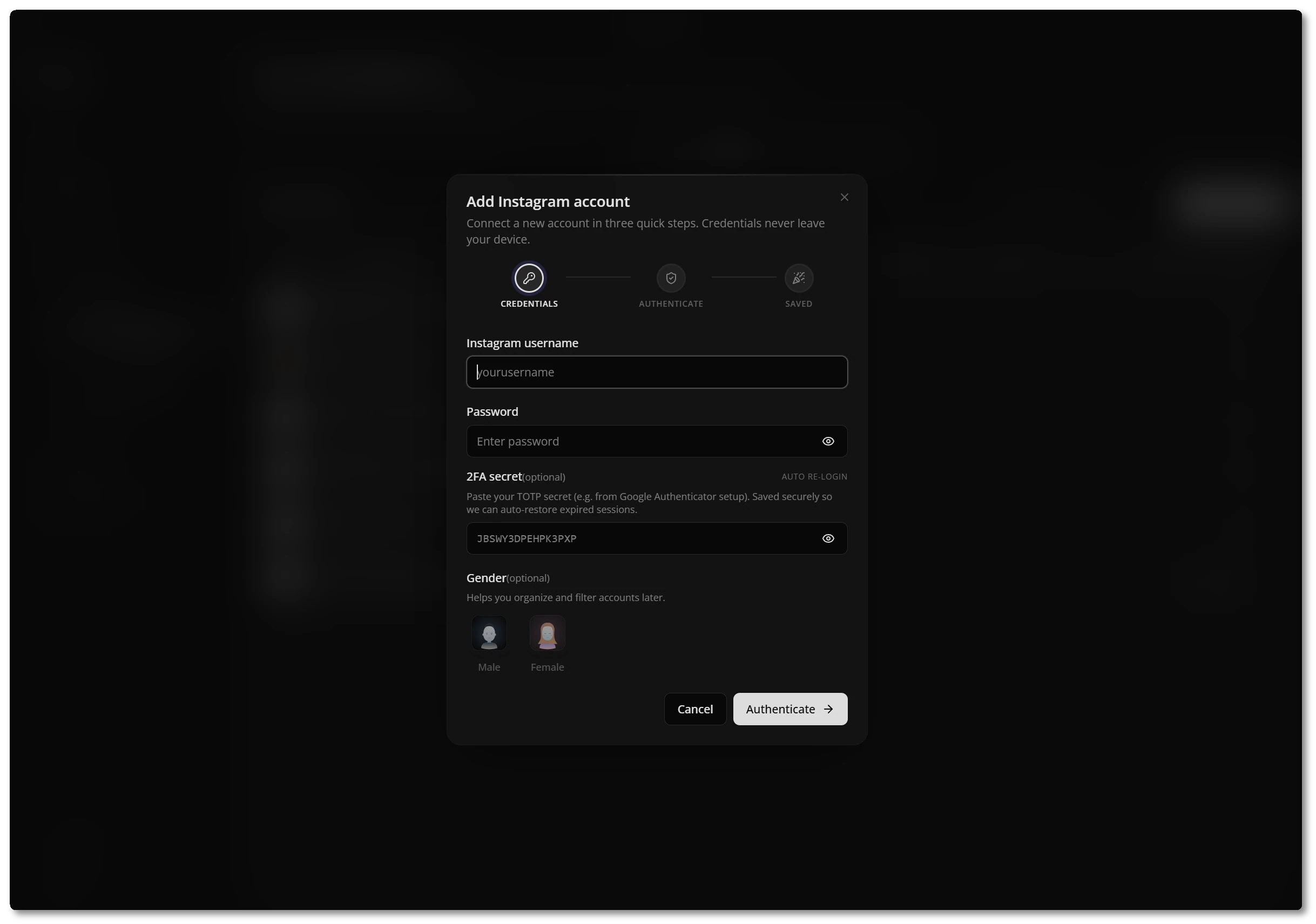
Connect your accounts
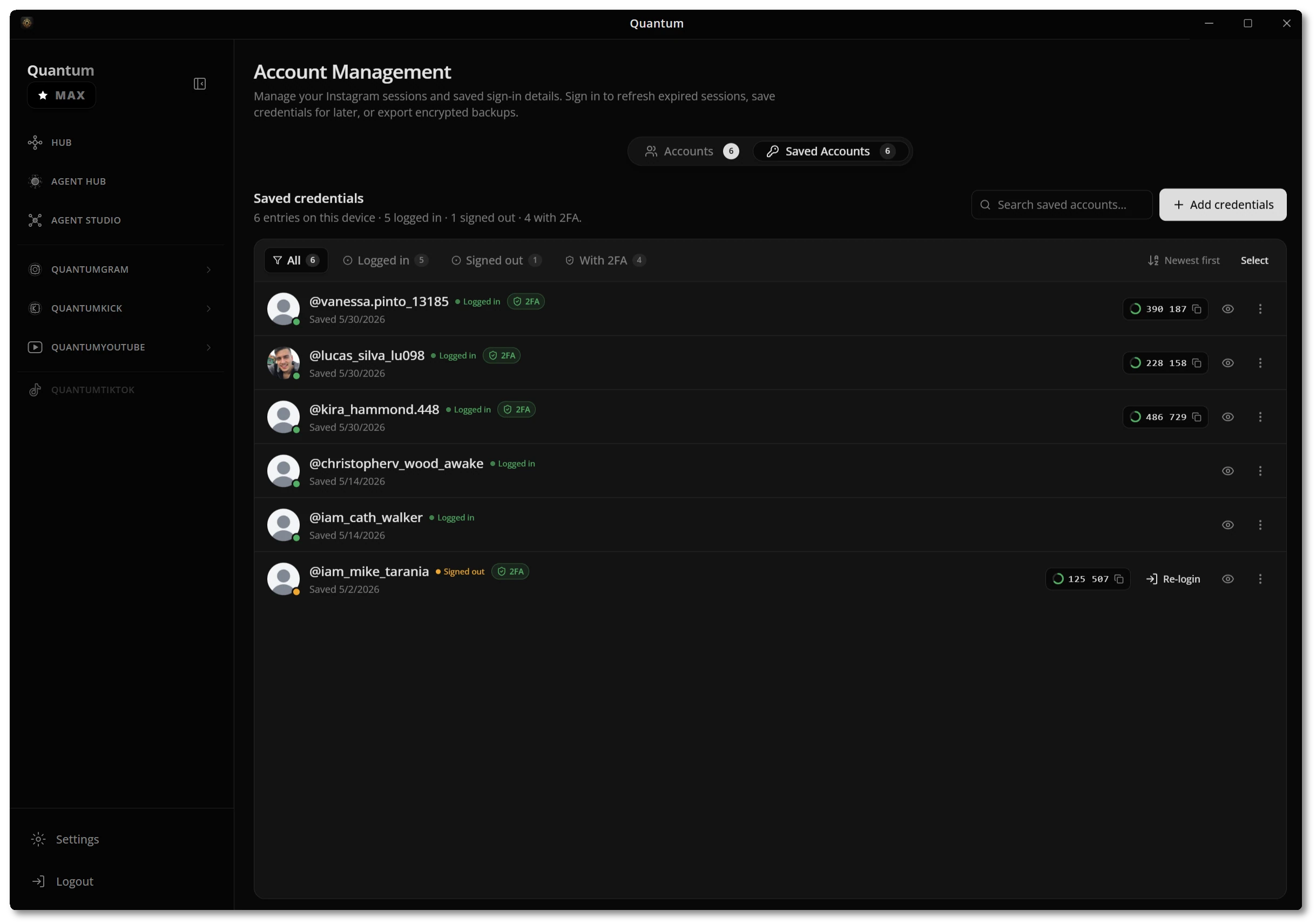
Add an account in three quick steps. Credentials are encrypted and never leave your device — paste an optional 2FA secret to auto-restore expired sessions.
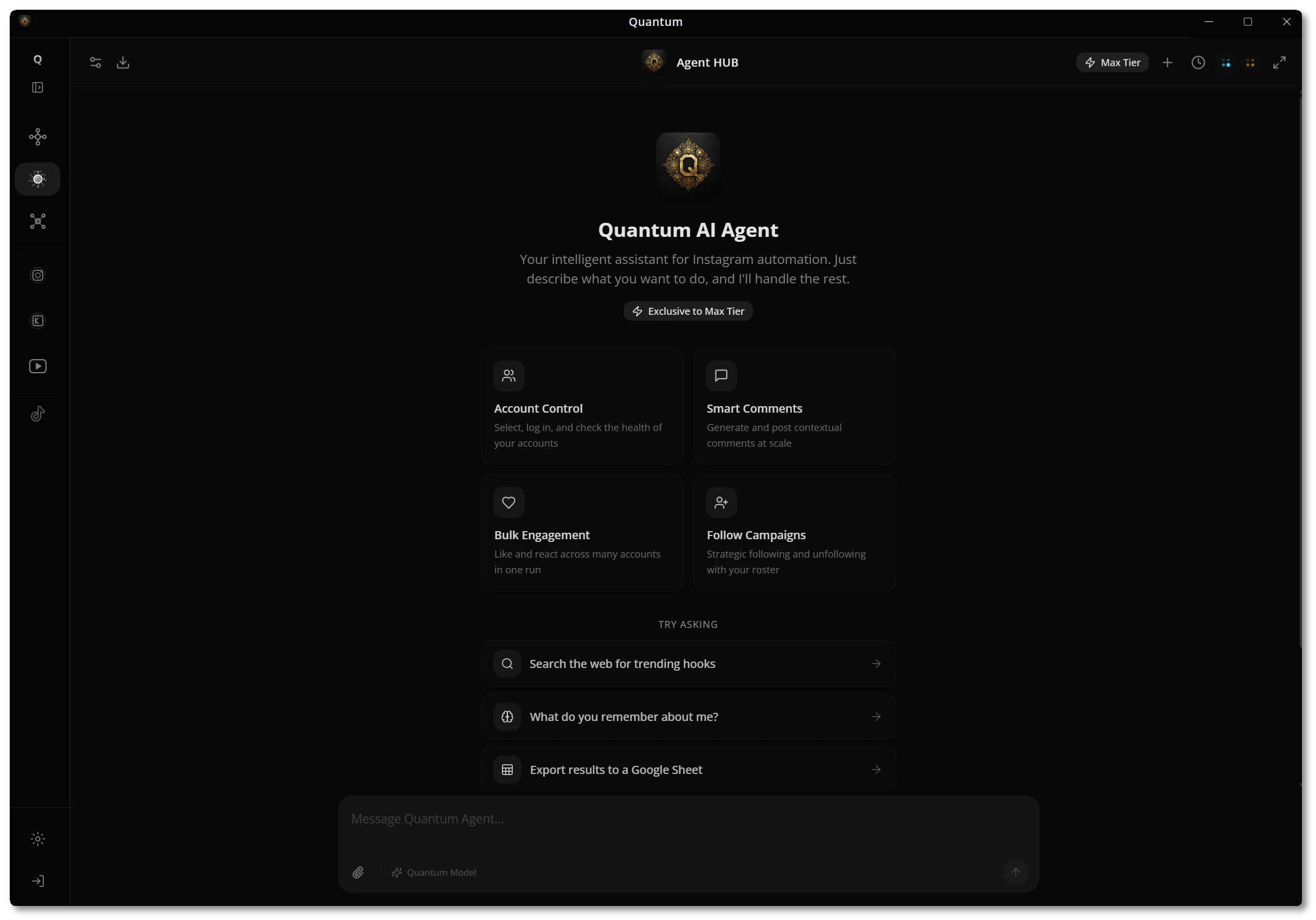
Put agents to work
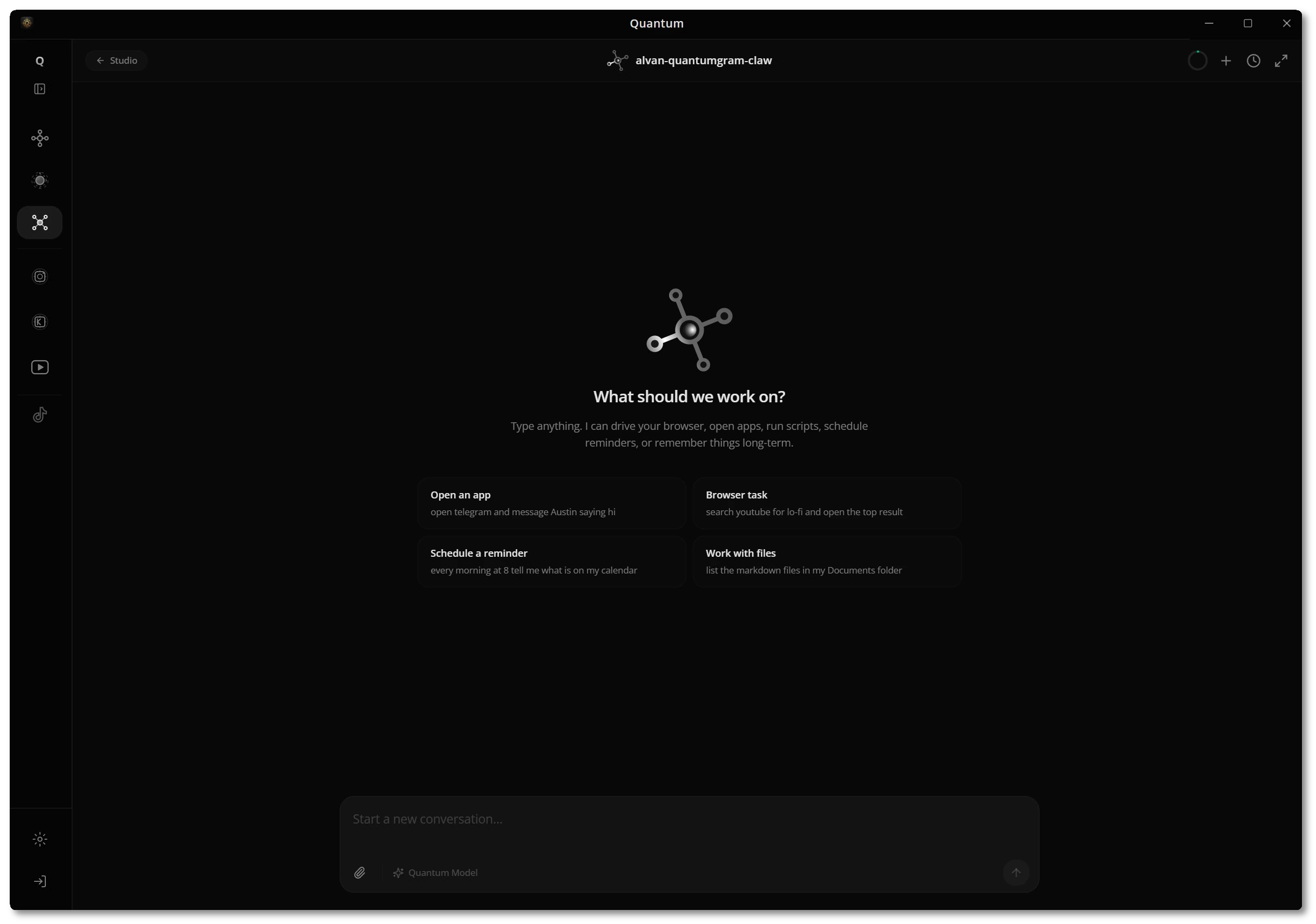
Open Agent Hub and describe what you want done. The agent runs the tools, shows its work, and reports back — safely and on your schedule.
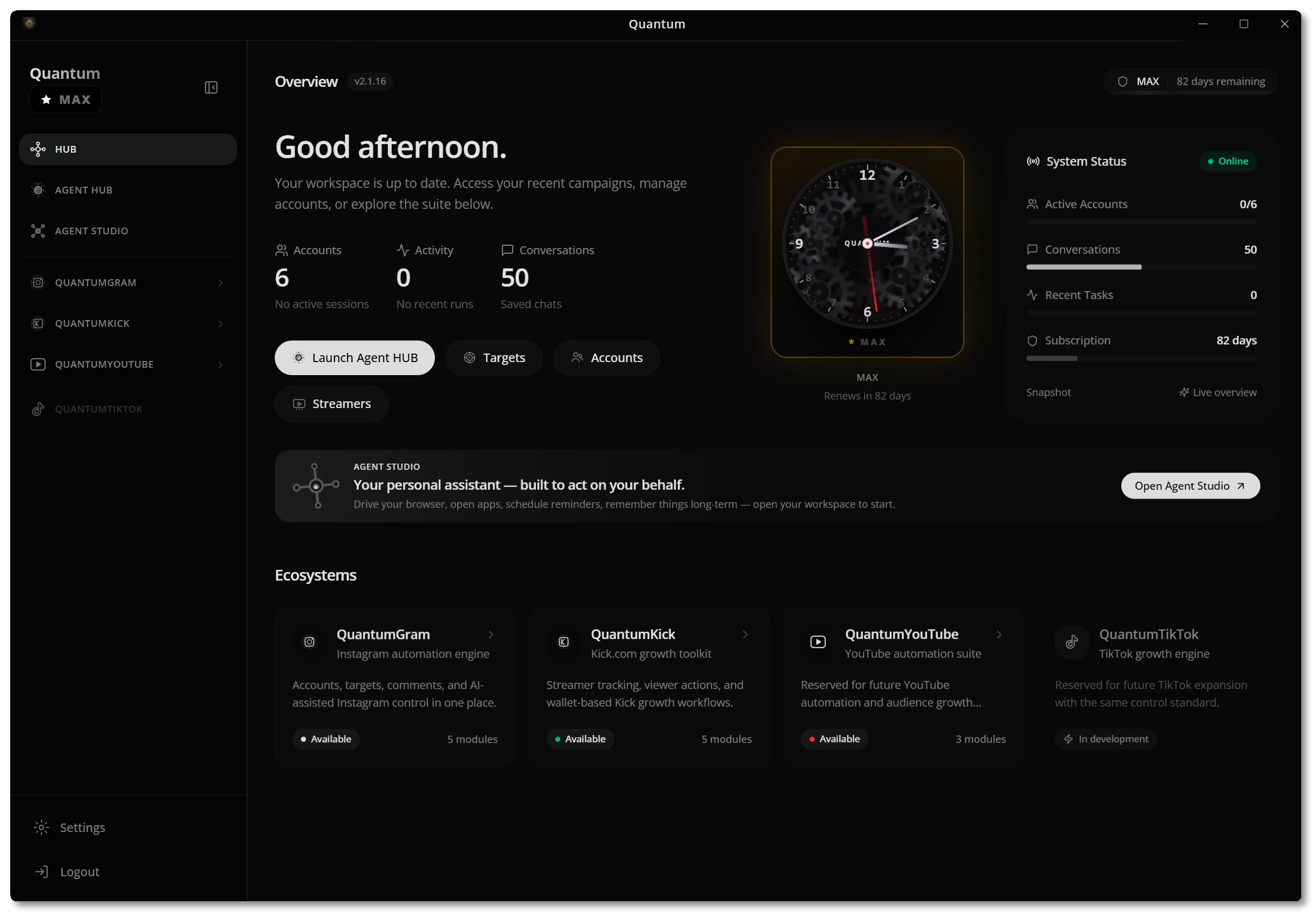
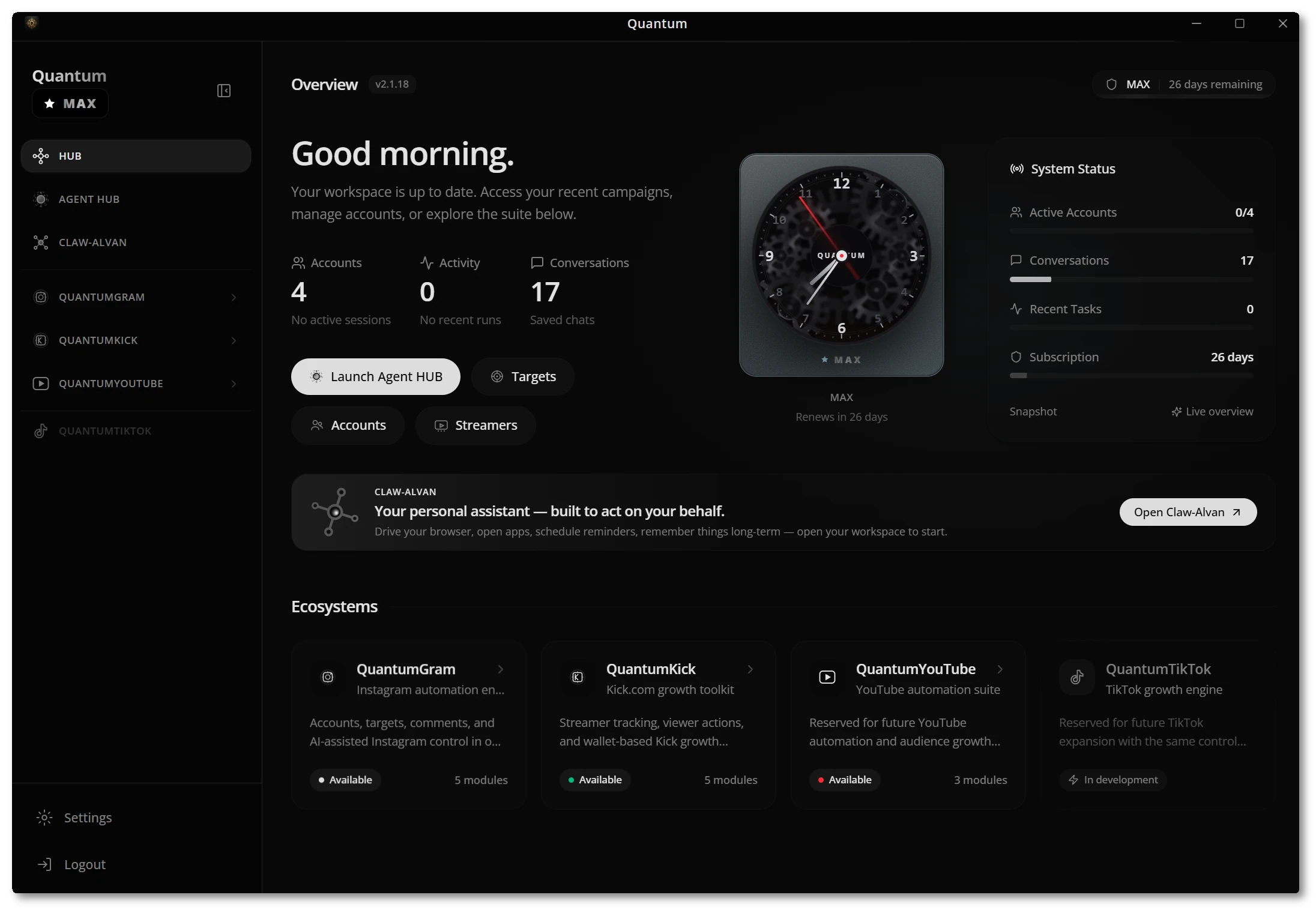
Your command center
The Hub is where every account, connected platform, and system signal lives side by side — so you always know what's running before you act.
- Every platform at a glanceQuantumGram, QuantumKick, and QuantumYouTube each show their module count and status from one screen.
- System status & licenseLive connection state, active accounts, saved conversations, and the days remaining on your plan.
- Jump straight inLaunch Agent Hub, open Targets, or manage Accounts without hunting through menus.
Ask it in plain language
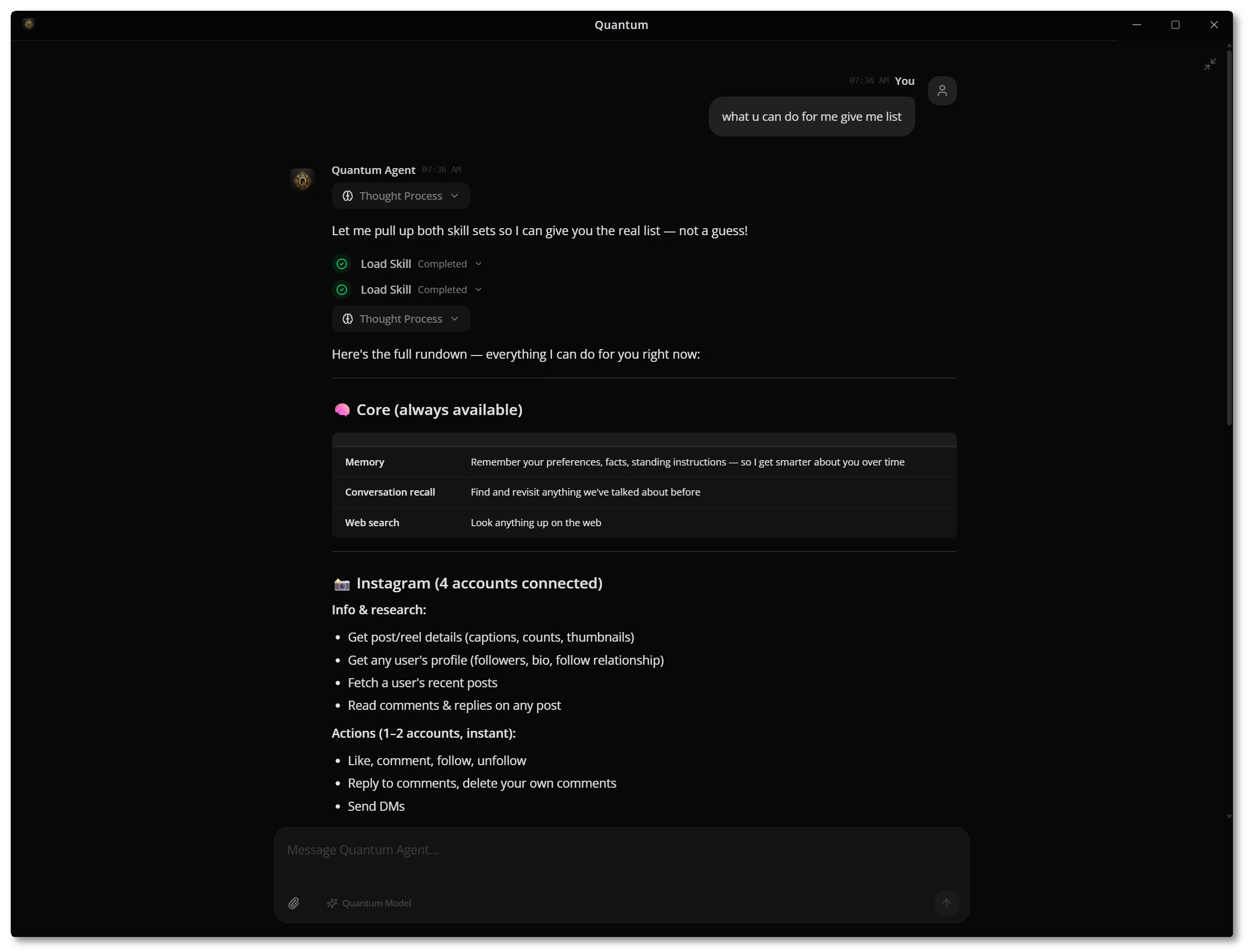
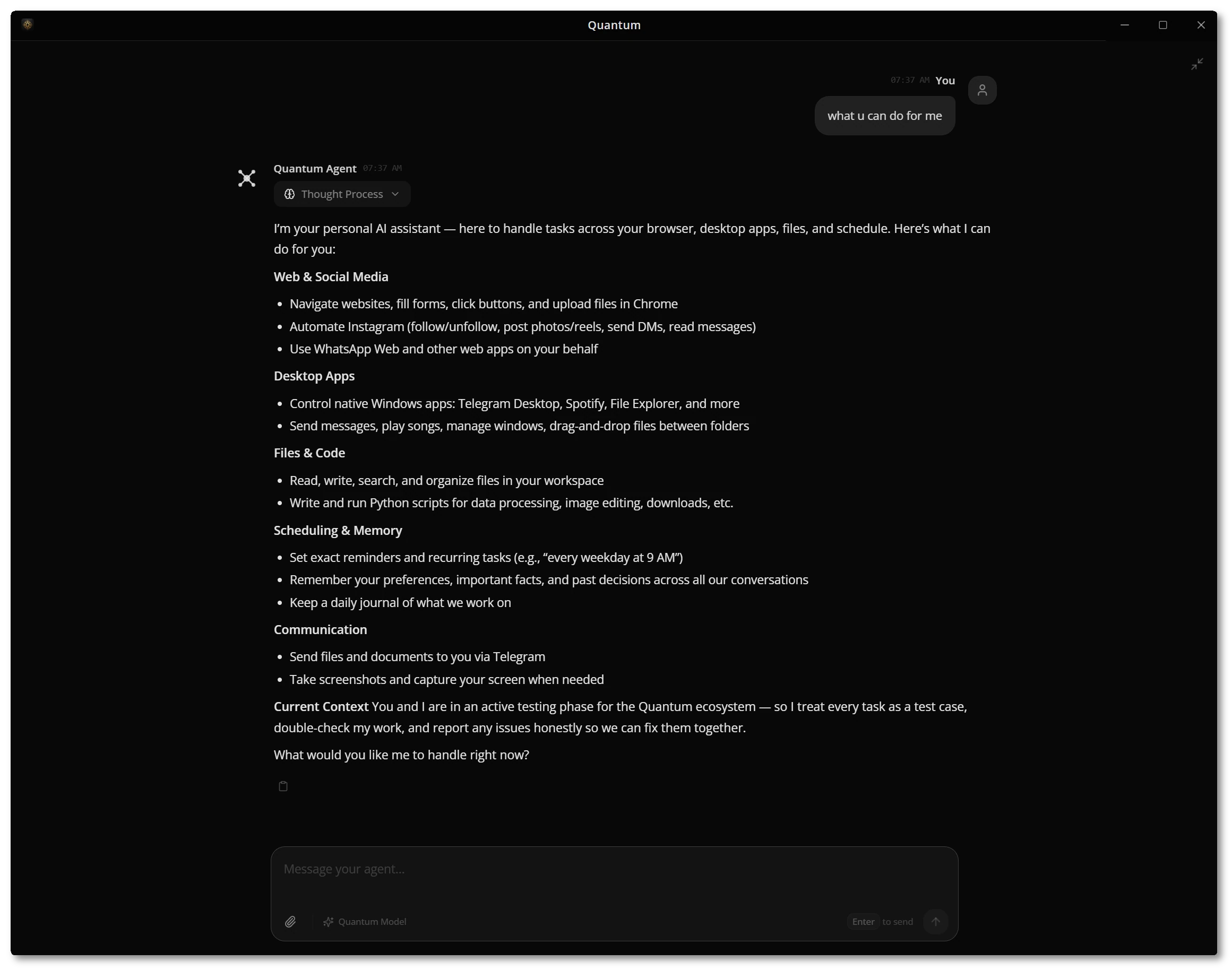
Agent Hub is a single chat surface that can act on your behalf — control accounts, post contextual comments, run bulk engagement, and search the web, then report exactly what it did.
- Account control & engagementSelect accounts, generate smart comments at scale, and run bulk likes, reactions, follows, and unfollows.
- Web search & memoryIt looks things up online and remembers your preferences and past decisions across conversations.
- Shows its workEvery run streams its thought process and tool calls, so you can trust what happened.
Teach the agent who you are
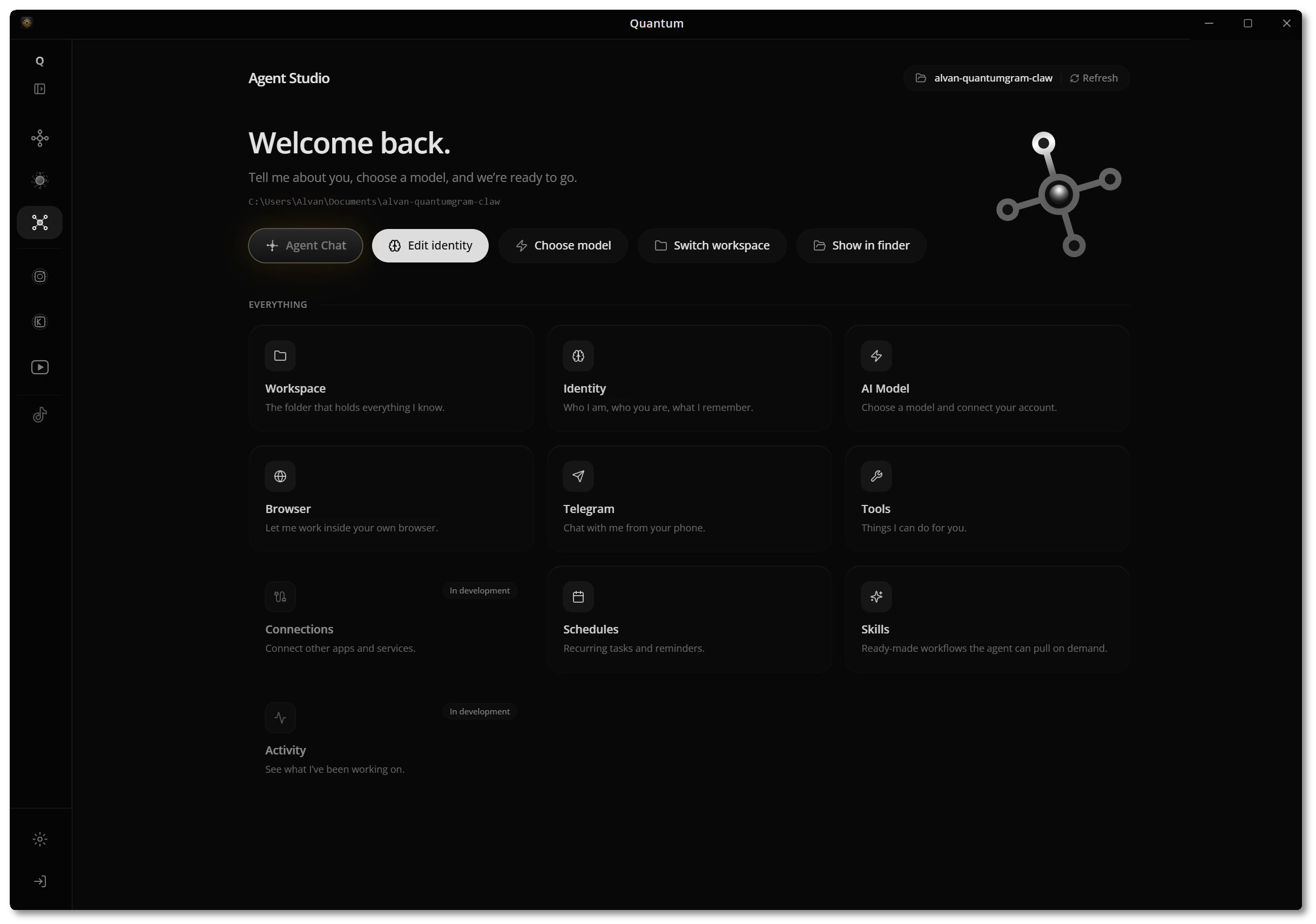
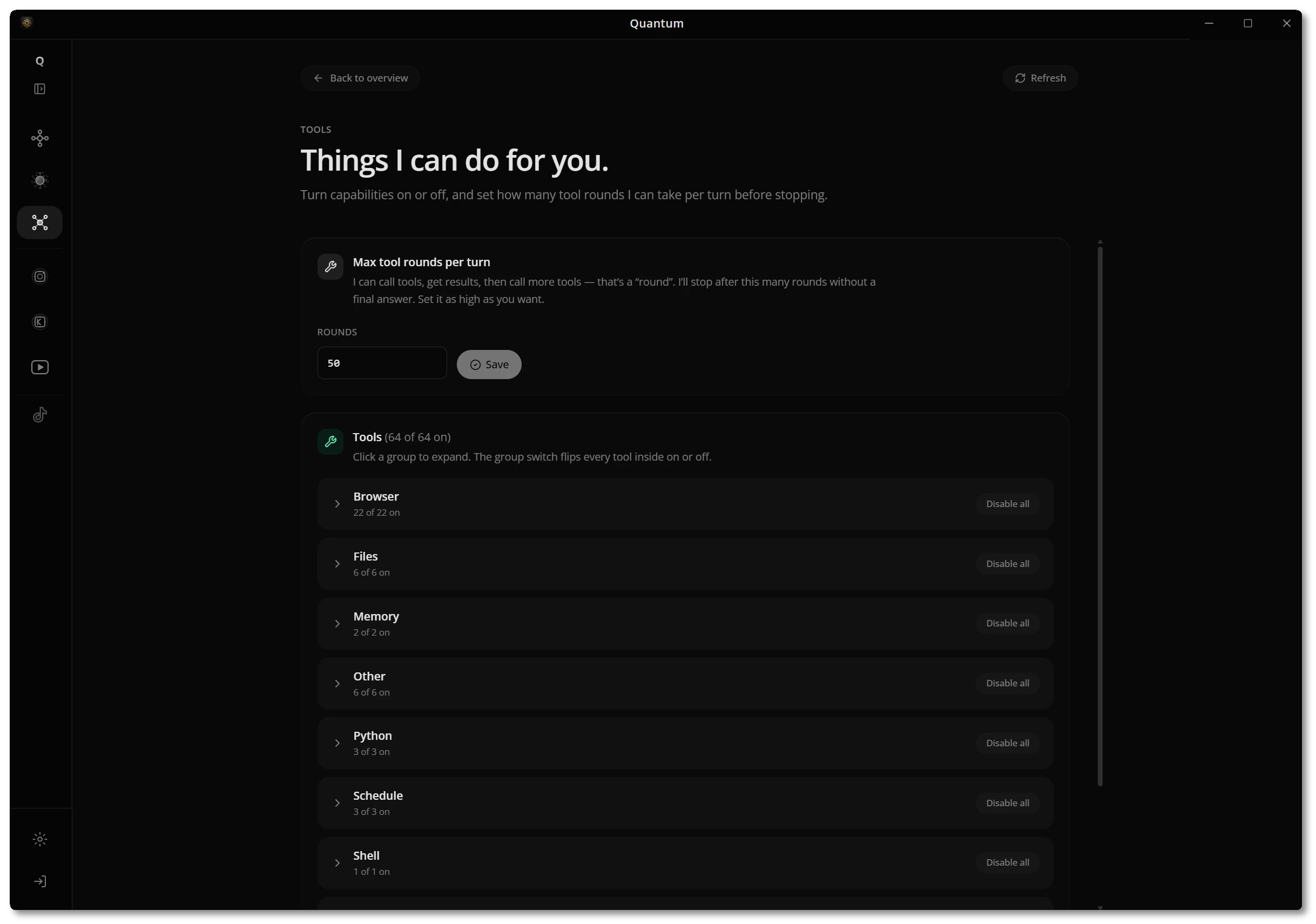
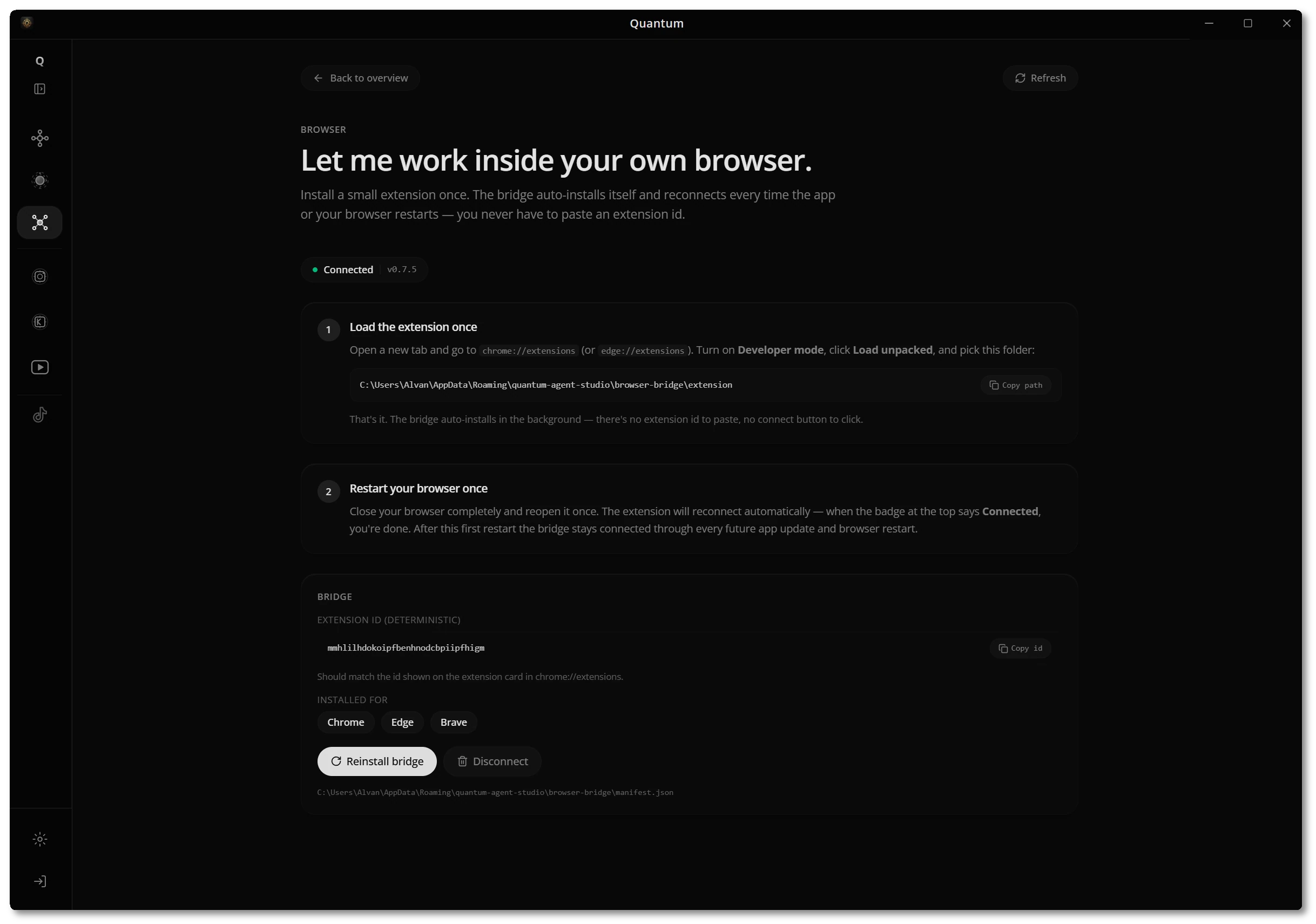
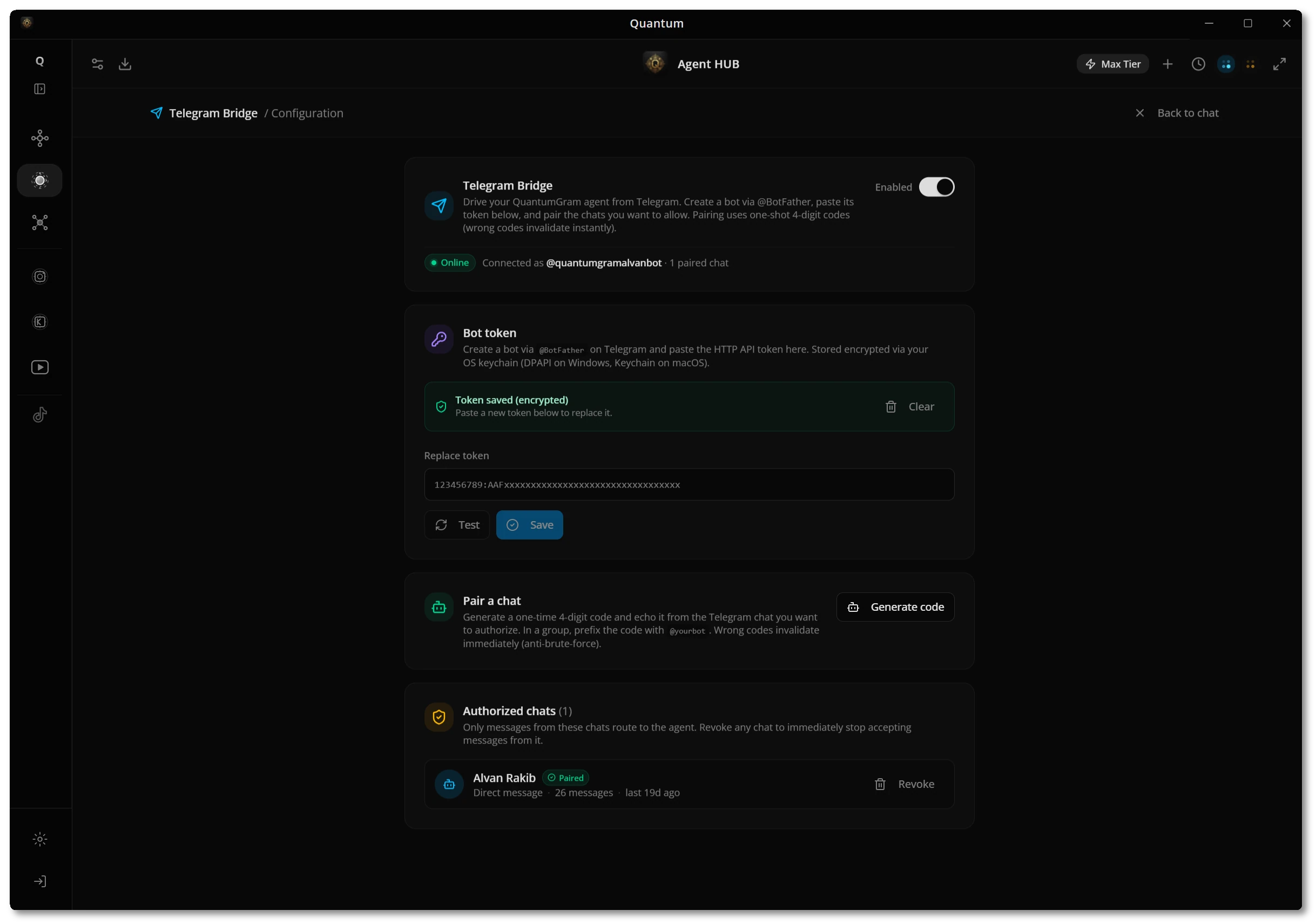
Studio is where you shape the agent — its identity and memory, the model it runs on, the browser and Telegram bridges, and exactly which tools it's allowed to use.
- Identity, model & workspacePick a model, set who the agent is, and choose the workspace folder that holds everything it knows.
- Tools you controlTurn capabilities on or off across Browser, Files, Memory, Python, Schedule, and Shell — and cap tool rounds per turn.
- Works inside your browserInstall a small extension once; the bridge auto-reconnects every time the app or browser restarts.
Run Instagram at scale
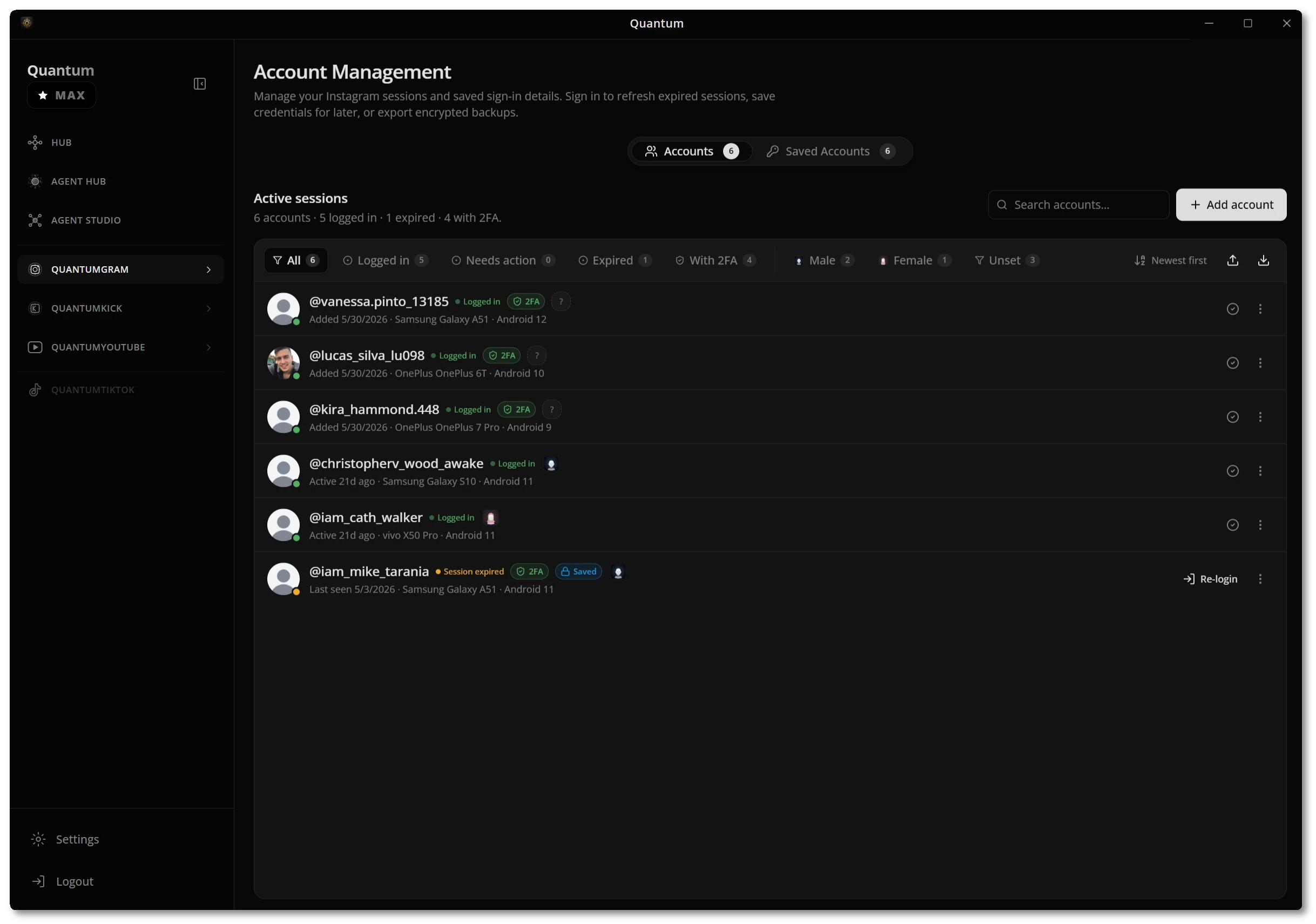
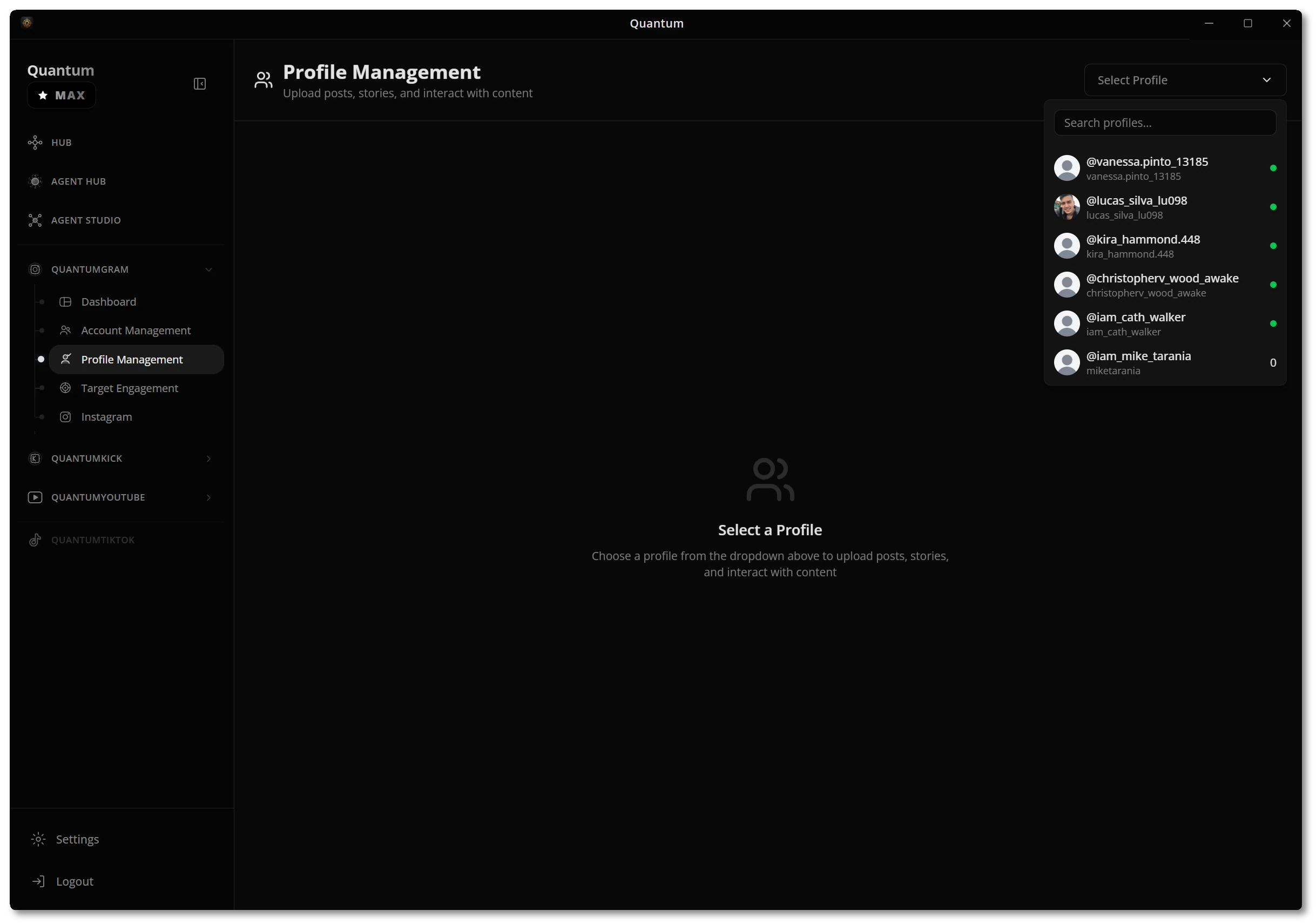
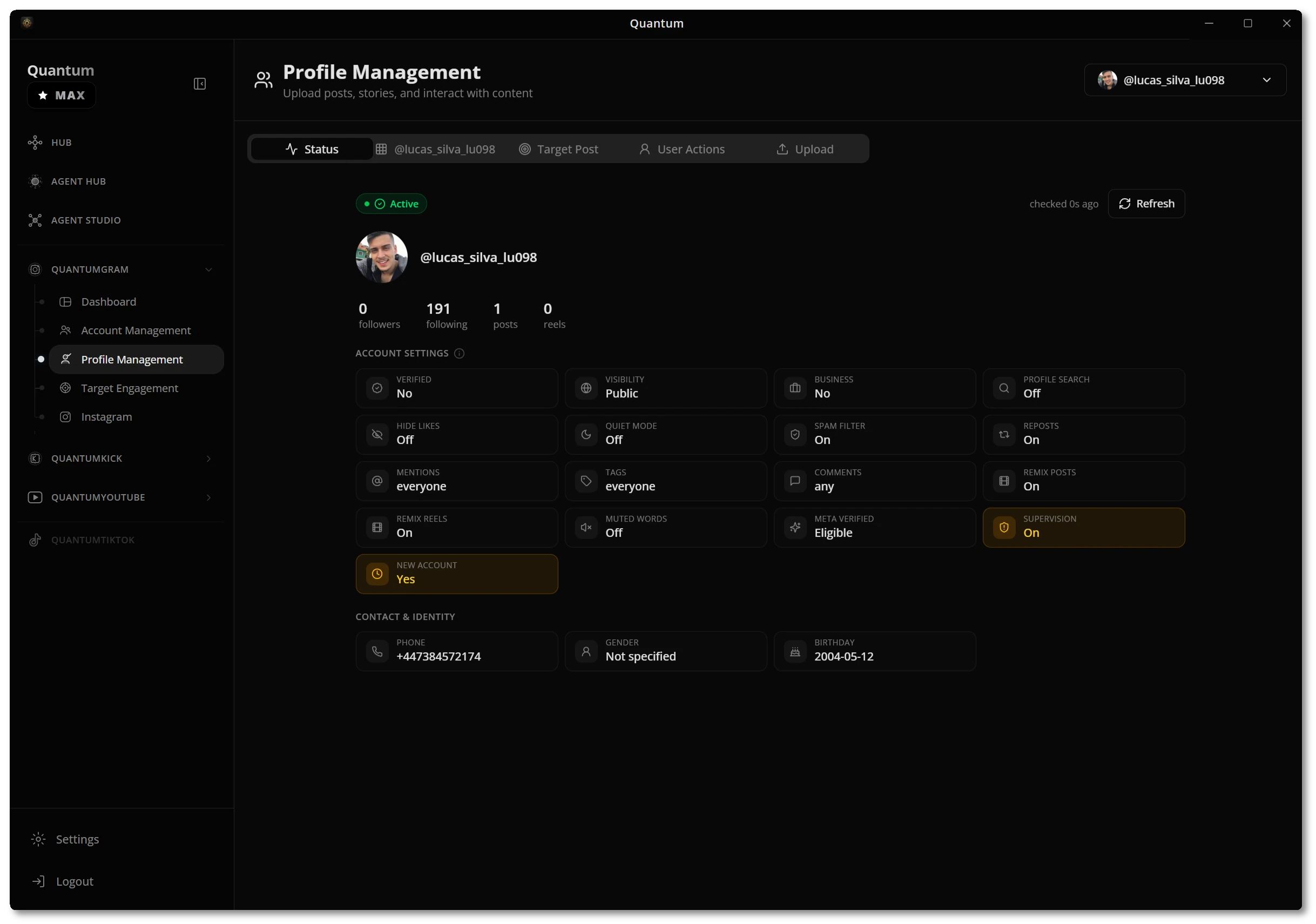
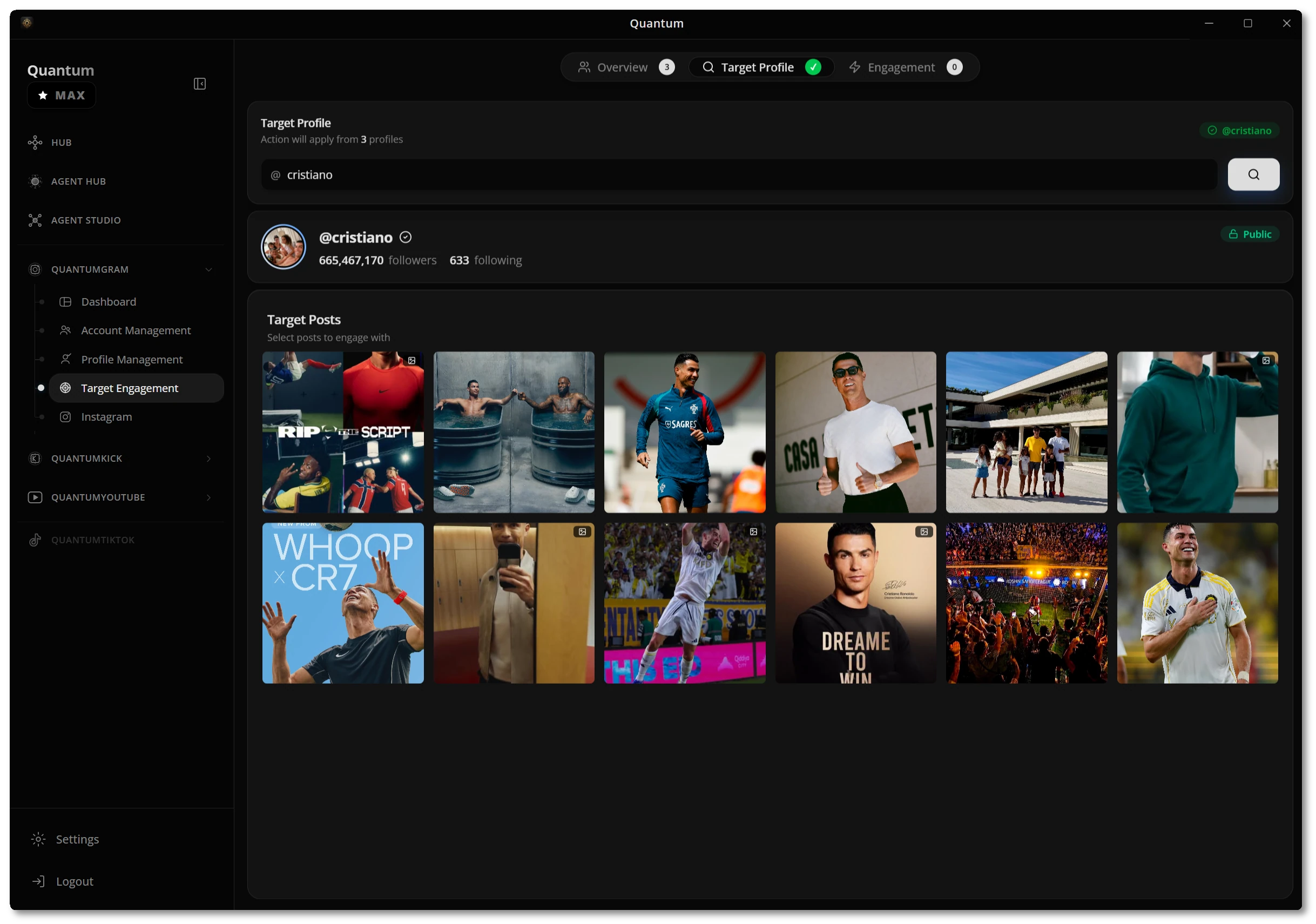
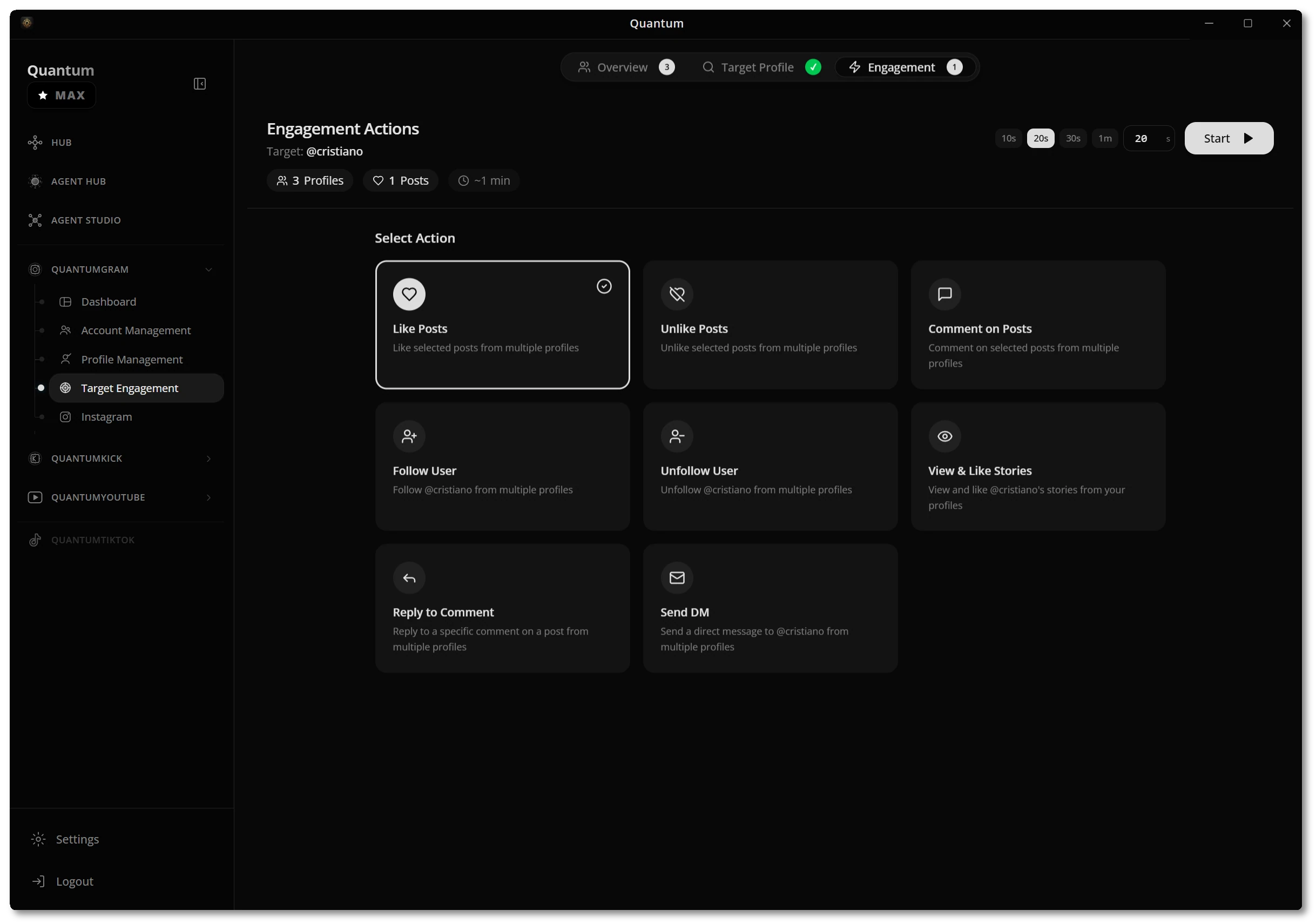
The Instagram suite covers the full loop — connect and organize accounts, manage each profile, find the right audience, and run human-paced engagement campaigns.
- Accounts & sessionsSign in, refresh expired sessions, store credentials encrypted, and filter by login state or 2FA.
- Profile managementReview status and settings, edit profiles, upload posts and stories, and run per-profile actions.
- Target & engagePick a target profile and its posts, then like, comment, follow, view stories, or send DMs from many accounts.
A live director for Kick
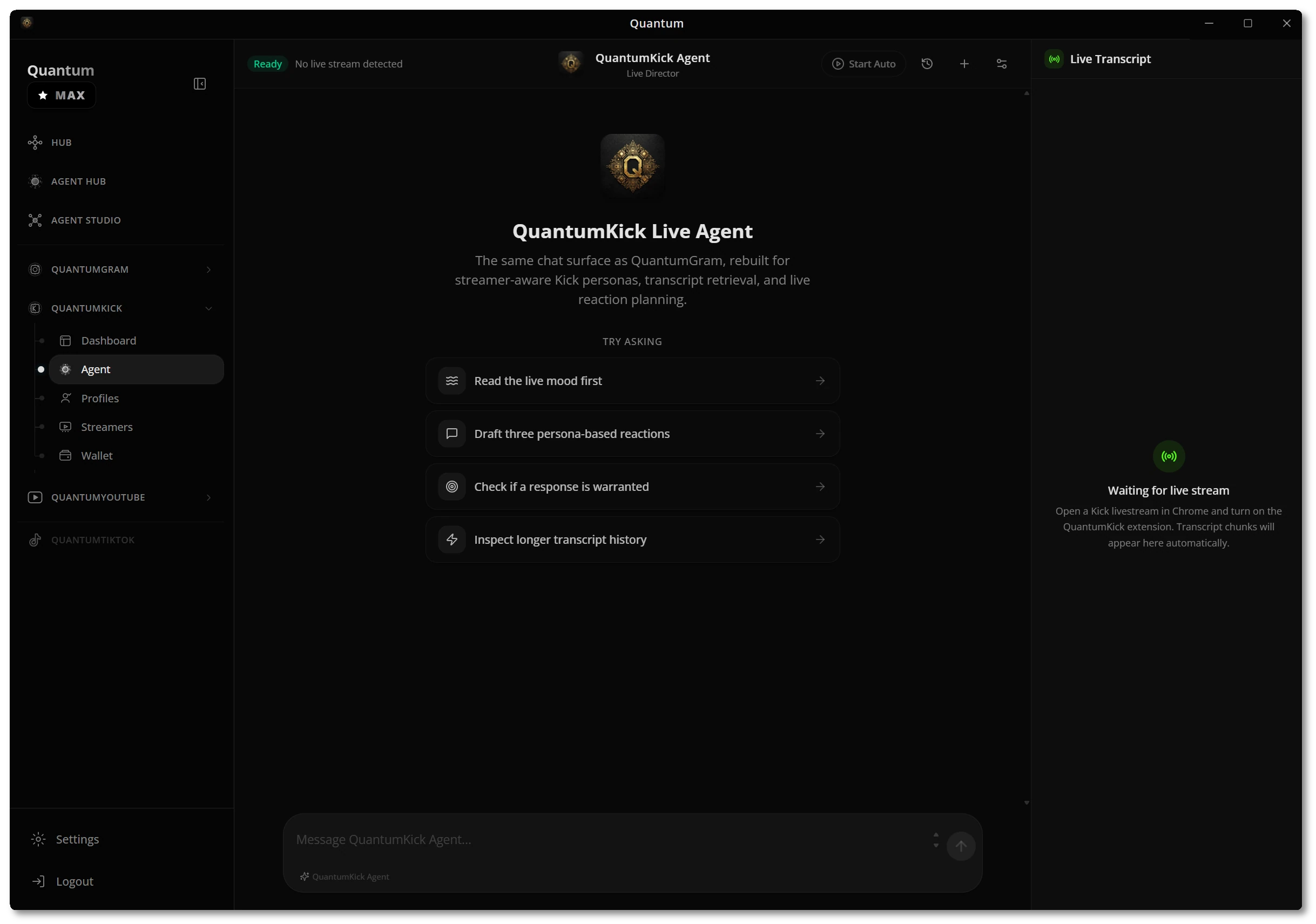
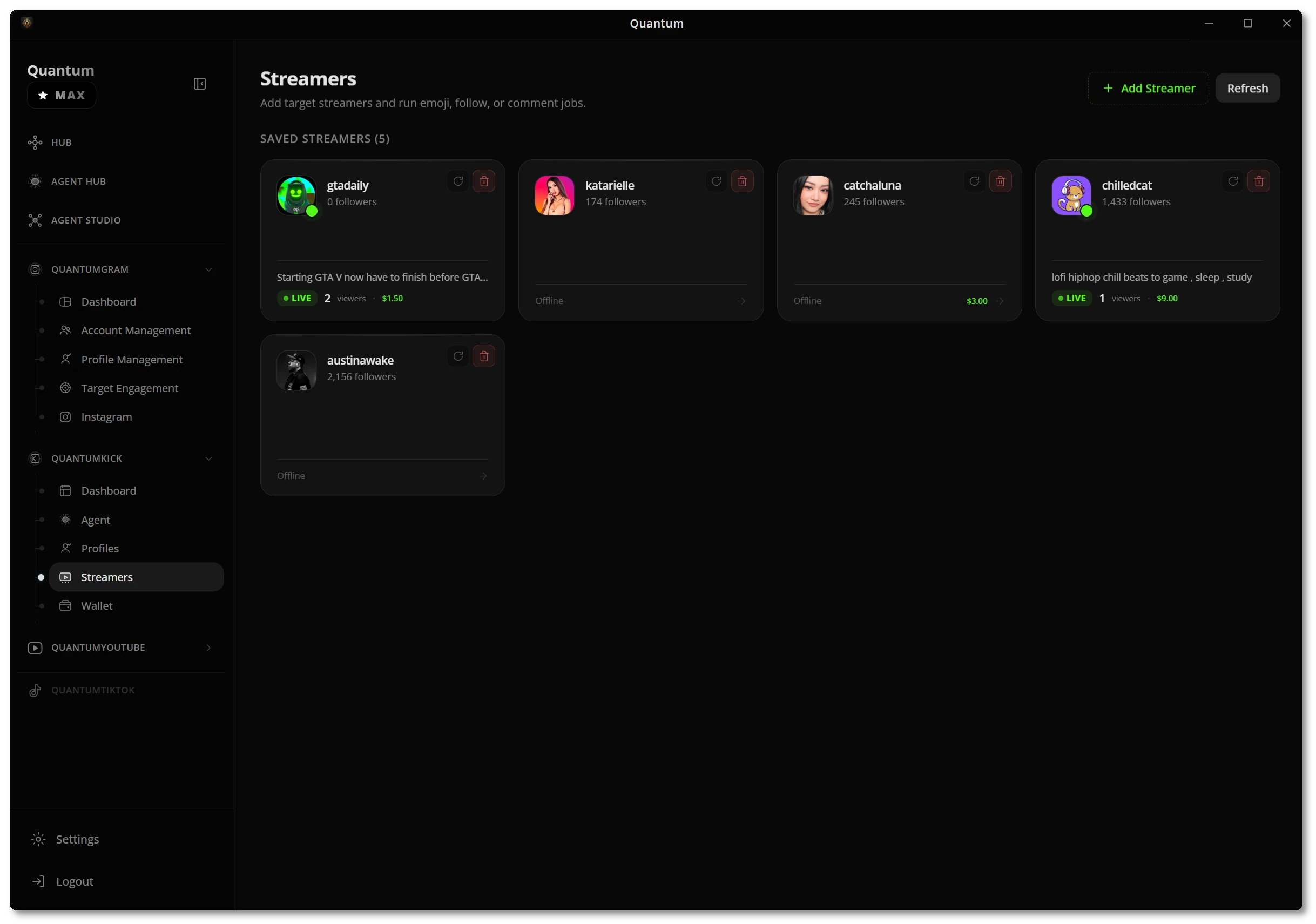
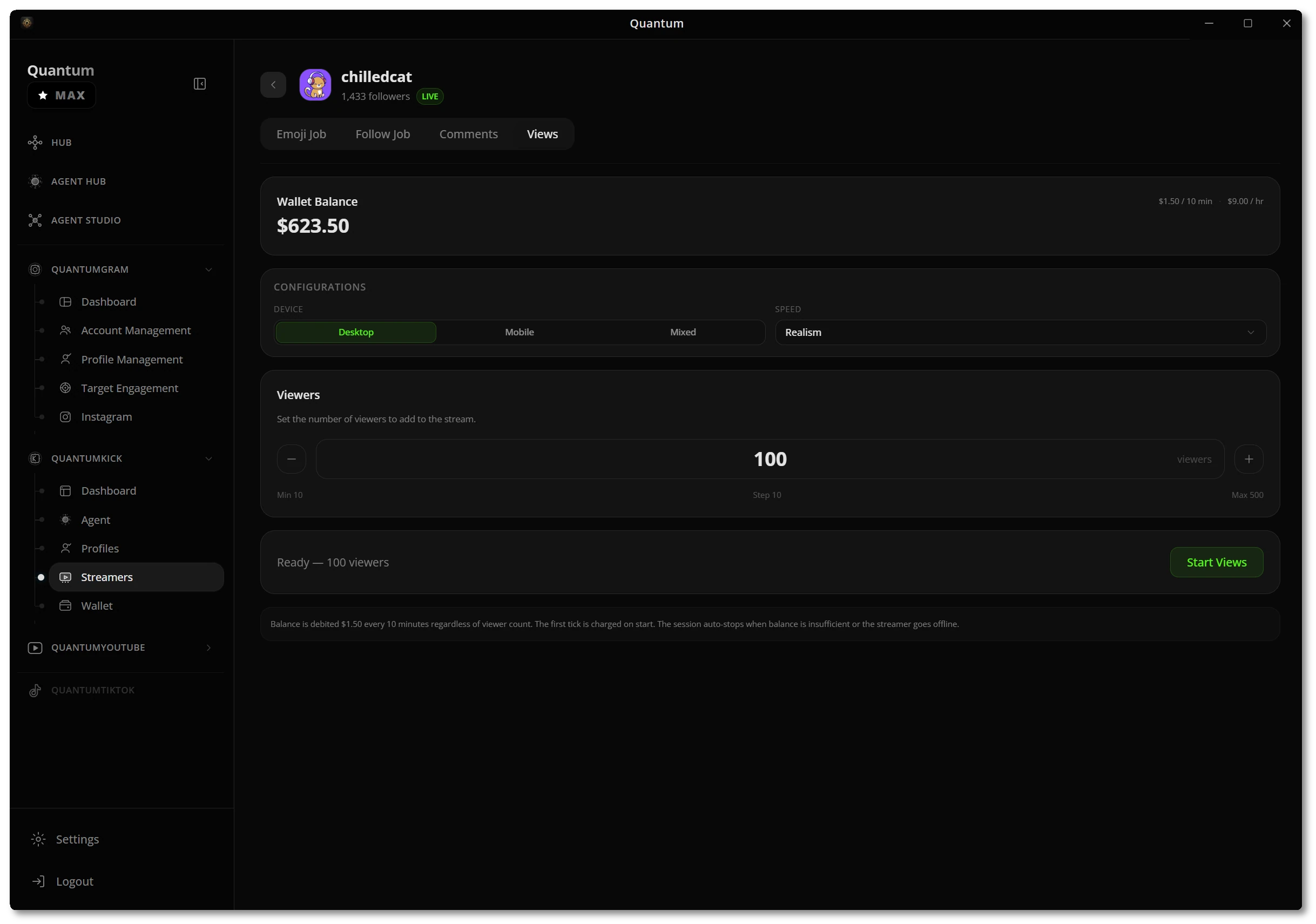
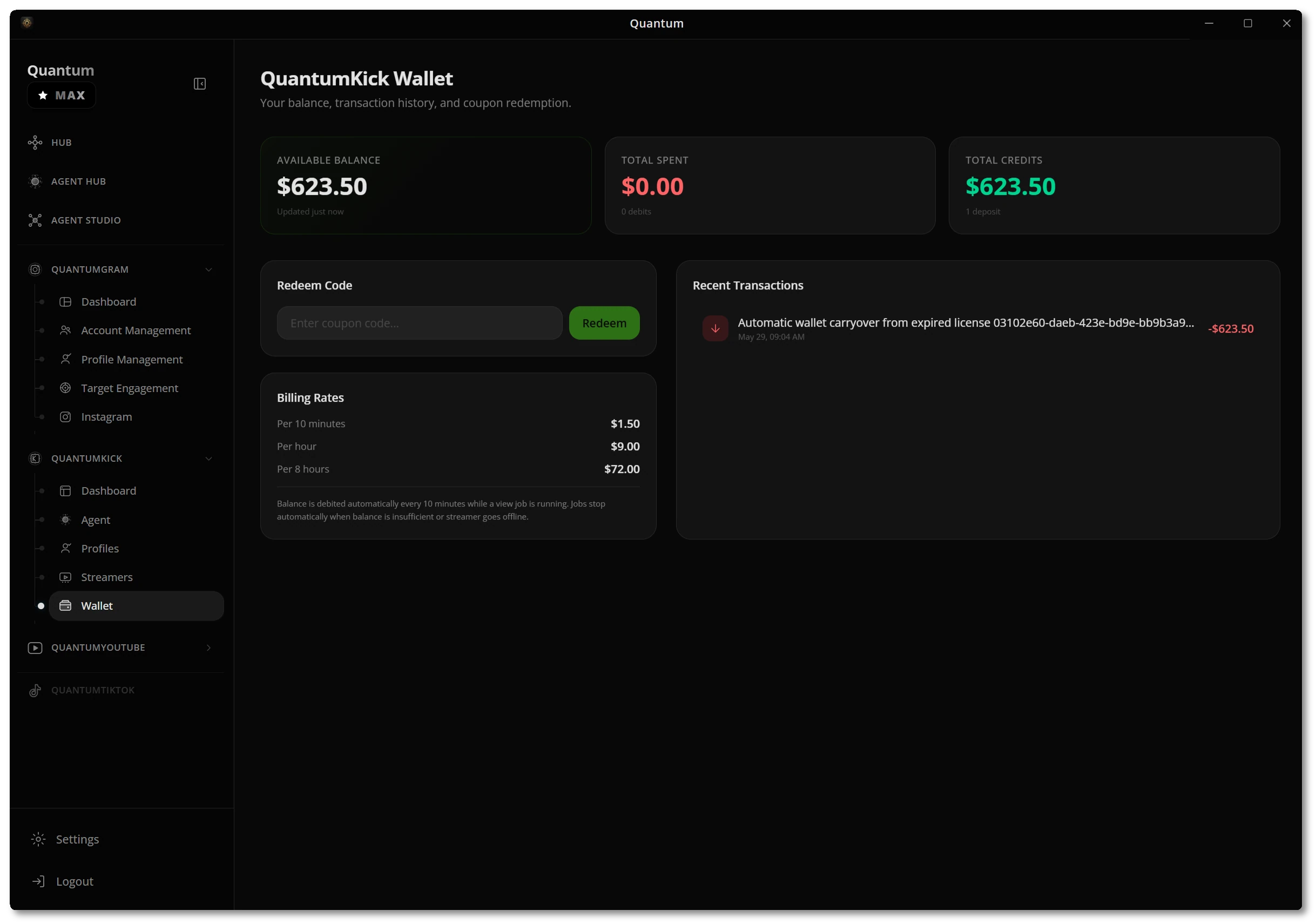
QuantumKick brings a streamer-aware agent, profile rosters, viewer actions, and a built-in wallet so you can run Kick growth with the same control standard.
- Live agent & transcriptsRead the live mood, draft persona-based reactions, and react only when the moment is warranted.
- Streamers & profilesTrack target streamers, run emoji, follow, and comment jobs, and manage collected sessions.
- Views & walletAdd realistic viewers, then track balance, billing rates, and transaction history in one place.
Grow on YouTube, safely
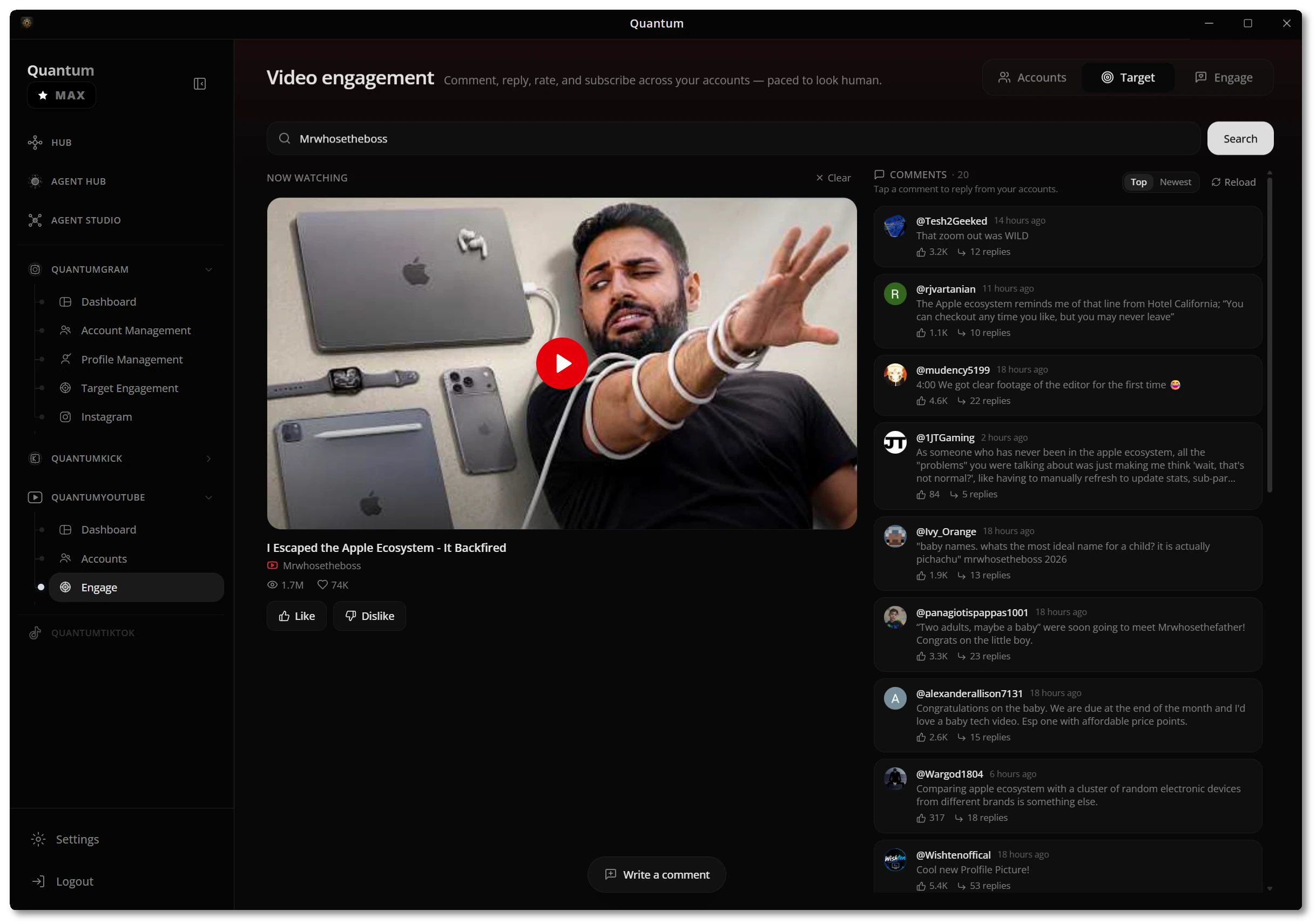
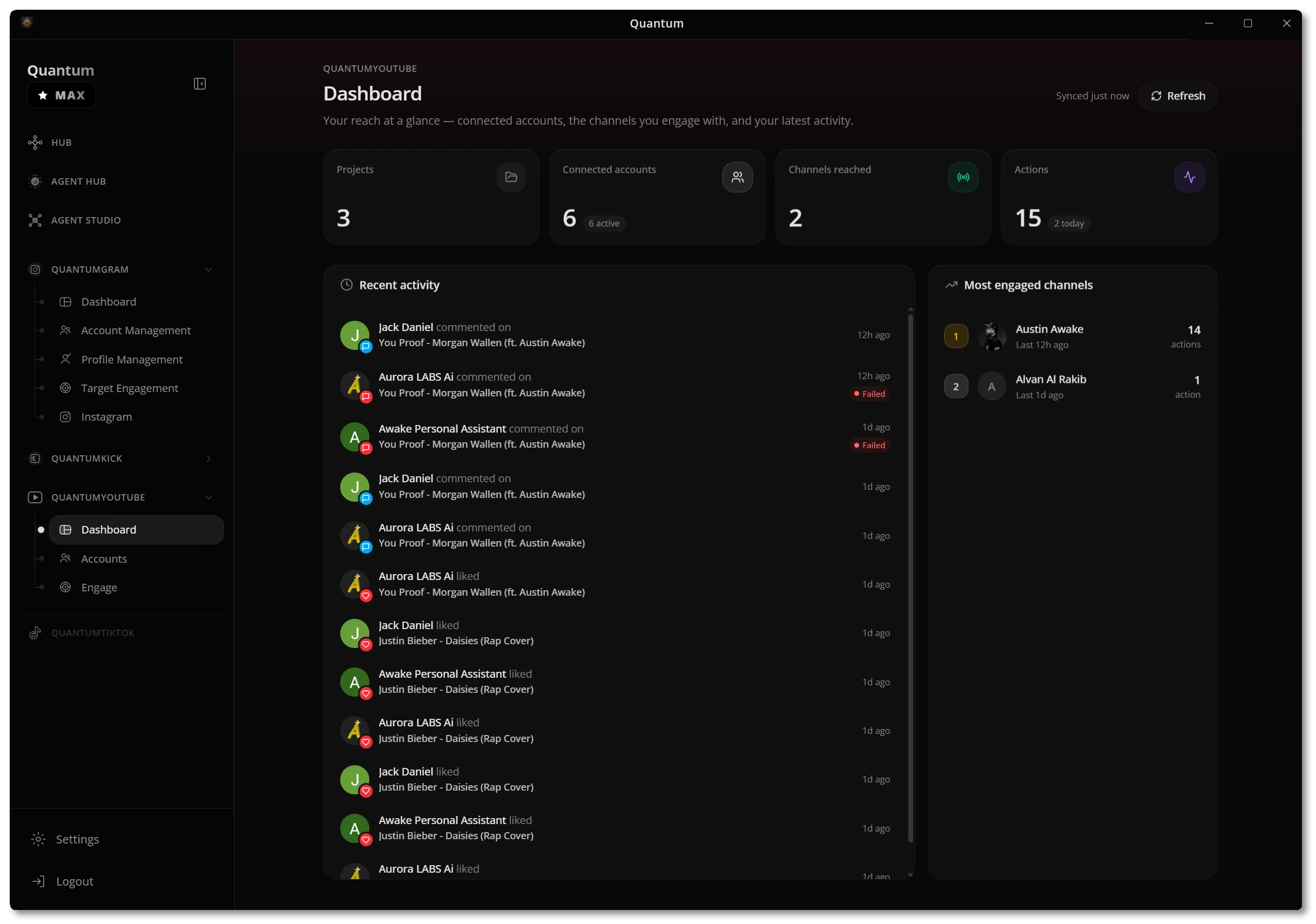
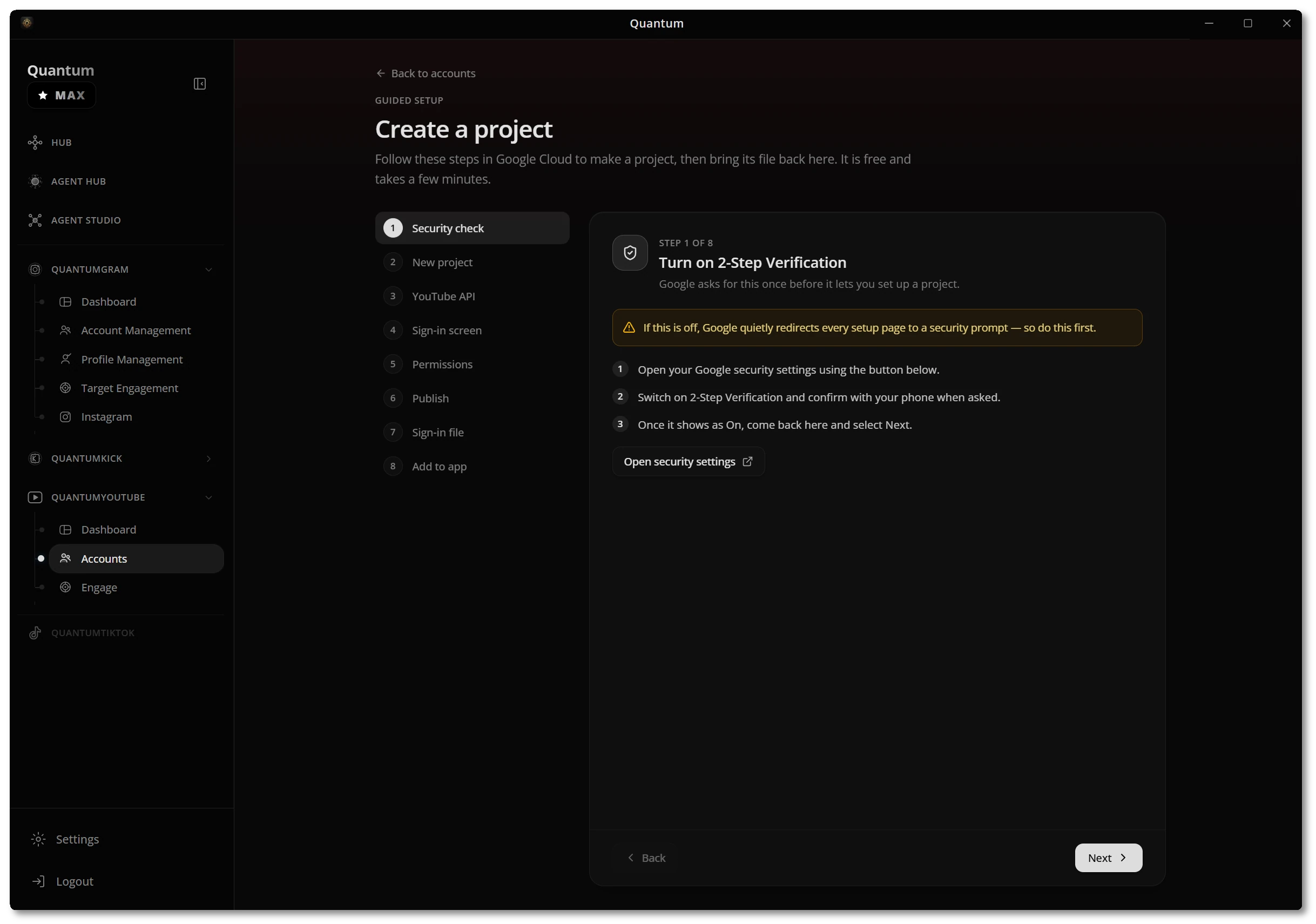
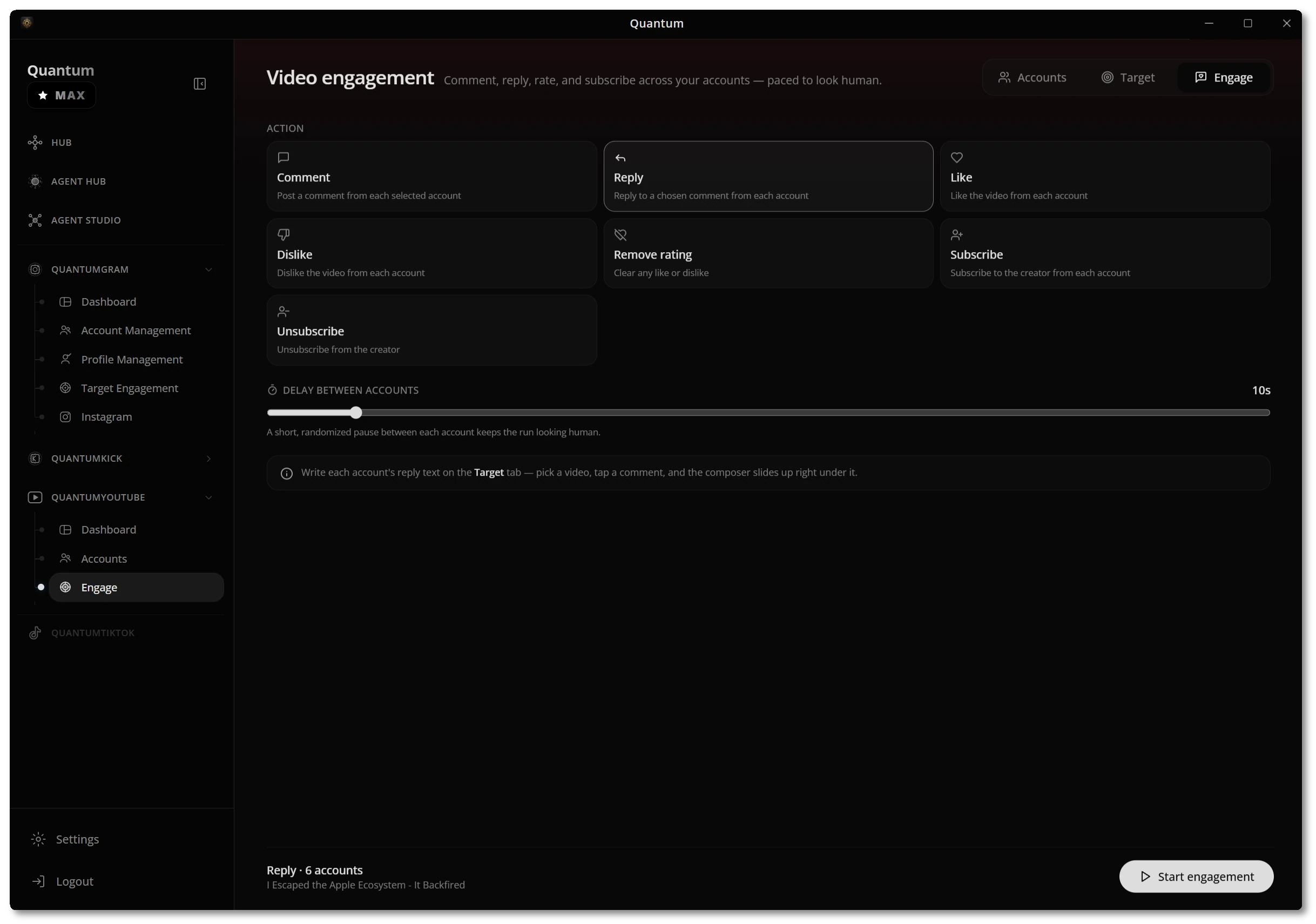
QuantumYouTube tracks your reach, connects accounts through a guided project setup, and runs comment, reply, rate, and subscribe actions paced to look human.
- Reach at a glanceConnected accounts, channels reached, recent actions, and your most engaged channels on one dashboard.
- Guided project setupA step-by-step flow walks you through Google Cloud so accounts connect without guesswork.
- Human-paced engagementComment, reply, like, rate, and subscribe across accounts with randomized pauses between each.
Encrypted on your device
Safety is built into every flow. Credentials are encrypted with your OS keychain, nothing is stored in the cloud, and remote control is gated behind one-shot pairing codes.
- Credentials never leave your deviceAccounts connect in three steps and are stored encrypted via your OS keychain — no cloud storage.
- Remote control, locked downDrive your agent from Telegram with a bot you own; pairing uses one-shot 4-digit codes that invalidate instantly.
- Human-like by defaultPer-account limits and randomized pacing keep every action authentic, never spammy.
The whole app, at a glance
One desktop client, every platform — here's the full surface you get out of the box.